Archive | home organization RSS feed for this section

Getting Organized for Back-to-School

It’s that time again. Millions of children are headed back-to-school. There is a direct relationship between how organized a child is and how well they do in school. As a parent or guardian, you can help children develop life-long organization skills. Here are a few back-to-school tips for getting organized:
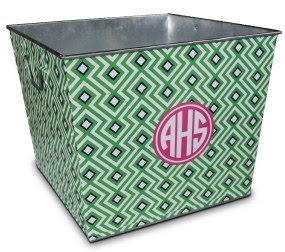
Establish a Routine & Plan Ahead. Streamlining the morning routine is essential to get kids out the door and to school on time. It’s easy to get frazzled in the morning, so prepare lunches, book bags, outfits, even the breakfast table the night before. Create a storage area near your most used door and assign each person a bin and/or hook for their gear. Using color coded baskets or personalized tins {like the one above from the MacBeth Collection} helps for organization and quick identification when leaving the house.
Create a Homework Station. Few children enjoy doing homework, but making creating an efficient work environment may make the task more fun. First determine where it’s best to set up the homework station – Near the kitchen where an adult can help? In a quiet room alone? Is a computer needed? Once a location is selected, it is important to have an easy accessible storage bin or drawer with needed school supplies. Based on your child’s age and school needs store items such as writing implements, paper, tape/glue, scissors, ruler, erasers, crayons and markers. When purchasing school supplies, consider earth-friendly and non-toxic items. Visit EWG’s back-to-school guide for a list of greener options. Pottery Barn Kids has a great Mini Lazy Susan perfect for a storing supplies at the homework station {shown above}.
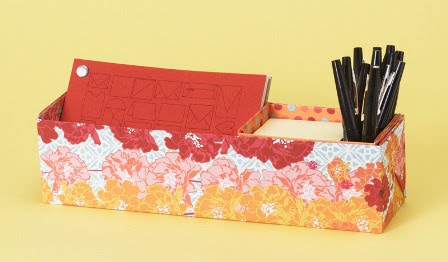
Paper Source also shows you how to make a customized desk cubbie here {also pictured above}. Get your child excited about their homework station by having them help designing their own supply storage cubbie.
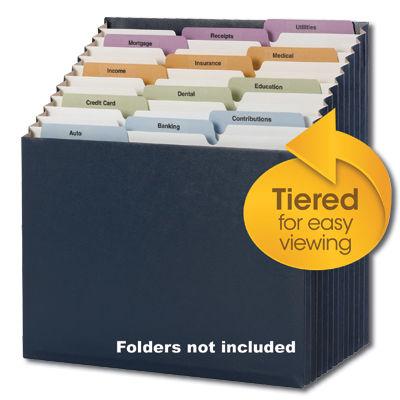
Centralize School Communications. Besides your child’s school papers, there will be lots of communication parents will need to take action on or reference throughout the school year. Some of these items include classroom rosters, school handbook, supply list, permission slips and school calendar. Creating a centralized place for all this information is key to knowing where these important papers are when you need them. A binder or file folder are great options for keeping all the papers organized into subcategories. Smead offers an easy to use tiered folder – Smead Stadium File™ – that works great in my home {blogged about it here}.
Getting organized for back-to-school takes some effort, but it will make the transition smoother.
Happy organizing!
Related Posts Plugin for WordPress, Blogger...
Read full story By on August 16, 2010 in baby and children, back-to-school, green design, home organization, organization tips

Guest Blogger: Joshua Zerkel With 5 Tips for Easy Cable Management

Today, I am thrilled to have Joshua Zerkel of Custom Living Solutions guest blogging. Based here in San Francisco, Zerkel is a professional organizer and productivity expert. He has cracked the code on cable management {a problem most of us have in our home and offices!} and am excited to have him share some of his techniques with us.

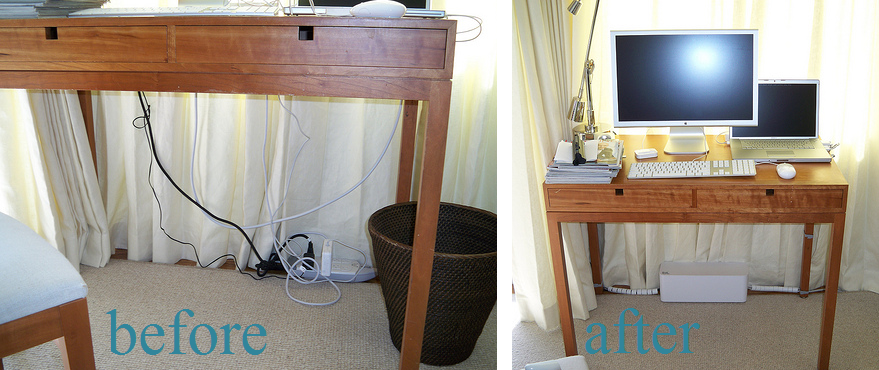
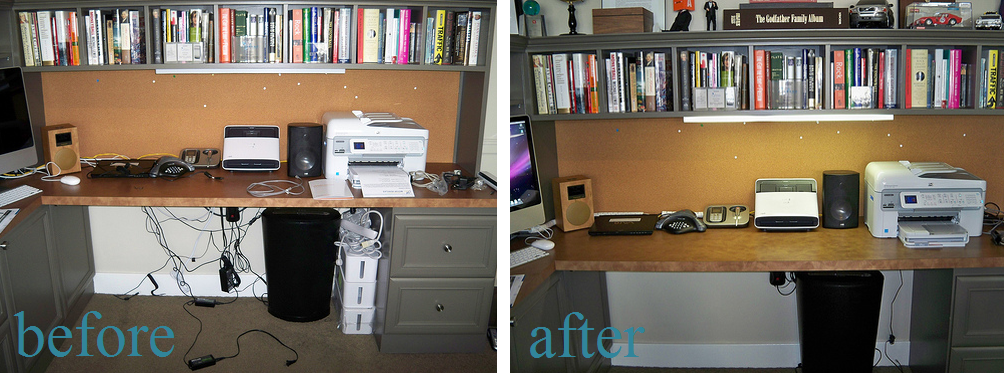
This is Joshua Zerkel from Custom Living Solutions. In addition to the work I do with clients helping them get more organized and boost their productivity by managing their paper, space, and time, I specialize in helping clients integrate technology into their work and into their lives. I’m pretty geeky, so sharing how to best use technology is really fun for me. Part of working with technology means finding ways to deal with the array of cables that seem to multiply with each new device we get. I’ve spent many hours under desks and behind cabinets trying to make it seem like the cables are barely there. Here’s how I do it:
Reduce – The vast majority of clients that I work with have way, way more cables than they need. There’s a sort of “cable entropy” that happens for most of us. We get a computer and some peripherals, the cables go behind the desk, and when we get new devices or gizmos to replace our old ones, many of us leave the old cables behind or just let them drop behind the desk. This can lead to a giant cable tangle. Sorting out this tangle, and determining exactly which cables are needed, is the first step in cable management. Make sure you have all of your devices hooked up properly, and then responsibly dispose of the unneeded cables at your local e-waste recycler.
Go wireless – Lots of devices, from computers to speakers, can now live with fewer wires thanks to technology like Bluetooth and Wi-Fi. Fewer wires equals less clutter! If your computer or peripherals can work wirelessly, you may be able to significantly reduce the amount of cables you have to manage. If you’re replacing an older device, it’s worth it to spend the extra money to get one that has a wireless option. And if you can’t go wireless, consider purchasing shorter cables to reduce the slack you’ll have to manage.
Label – For any cables or wires that you are keeping, it’s definitely worth it to pull out your labelmaker and clearly label your cables. Instead of trying to figure out the mystery of a group of all-black, similarly shaped cables, clearly labeling makes it so much easier when you need to unplug and then re-plug your gizmos. I recommend labeling your cables at BOTH ends with the name of the device that the cable is connected to. 
Group – Once you’ve reduced your cables to the ones you actually need and use, then it’s time to start gathering them together. I prefer to create two groups – the power cables, and then the other cables (audio, video, USB, etc.). Once the cables are grouped, then it’s time to get some cable ties and wrap the cords so they don’t become separated. Make sure to leave enough slack so that you can still access your various components easily.
Hide – The final step in cable management is to hide the cables as much as you can. There are plenty of tools can help with this, from cable sheaths which you can put groups of cables into, to cable boxes which help to hide power adapters, extra cable slack, and power strips. A technique I like to use as much as I can is to route cables down the rear legs of a desk or table, and to tie them in place where they won’t be noticed. This is how I’ve made cables “disappear” for many of my clients. 

Cable management is definitely an art, and it takes some careful planning and ingenuity to make sure that you manage and hide the cables as much as you can.
Related Posts Plugin for WordPress, Blogger...
Read full story By on June 28, 2010 in home organization, organization tips

Organizing Your Files With Smead Office Supplies

As a professional organizer, I am forever looking for products to help my clients   declutter, tackle  incoming mail and organize their home offices. The nice folks at Smead sent me several products to review that make clearing the clutter and filing a little easier.
Ever run out of space labeling a folder or wish you could use a bigger font?  Colorful Smead Supertab® File Folders {above} have nearly double the labeling area of standard folders. The larger labels makes it quick and easy to locate important files.
The Smead Stadium File™ would be perfect as part of a “one-stop-sorting-station”. Your designated sorting station should be used daily to tackle incoming mail. First and right away, recycle or toss all junk mail, catalogs, or unwanted promotions. Shred any mail that might contain personal information (SS#, phone #s, medical record #s, etc.). Second, file all mail you need to save. Using the Smead Stadium File with tiered expanding file would be ideal as it lets you see everything at a glance. Here are some suggested file categories:


• To Pay – bills to be paid
• To Act – rsvp to an event, make a call, etc.
• To File – papers to be filed in your main home filing system (i.e. bank or insurance statements, etc.)
• To Read – magazines or catalogs
 

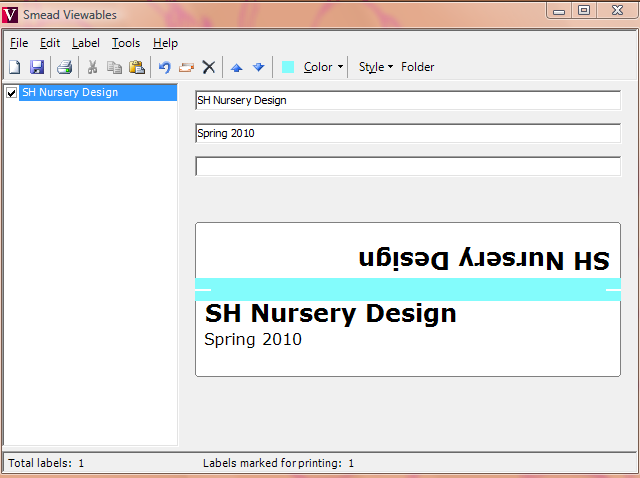
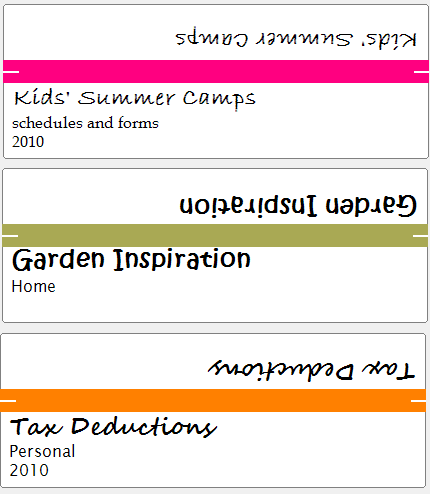
To help label  those folders with ease, Smead has designed the Viewables® labeling system. Its my favorite of the bunch because it allows you to customize your filing with any color and multiple fonts. The super cute labels above are some that I created in minutes! The starter kit comes with the software and label sheets. The software even remembers how many labels are left on your page so there’s no waste. The only downside {found out on-site with a client!} was that it only supports PC and not MAC users – Smead are you listening?

All three Smead products are available from a wide variety of office products dealers including Office Depot, Office Max, Staples and Amazon. And although this is sponsored content {Simplified Bee was been given product samples and a nominal gift card},  I do not blog about anything I do not believe in and Smead did not edit the post or direct our content in any way.
When is the last time you organized, purged or tended to your home filing system? Is it time?
Happy organizing!!!
  
Related Posts Plugin for WordPress, Blogger...
Read full story By on June 3, 2010 in file folders, home organization, office supplies, Paperwork

Friday Find: Stylish Office Accessories from Amy Butler

Amy Butler Design. We love her vivid fabrics and Midwest Modern style. I’m just smitten for the playful Gumdrop pillows shown above. Amy puts a fresh spin on just about everything she touches including office supplies. You know I love that!

{file folders}

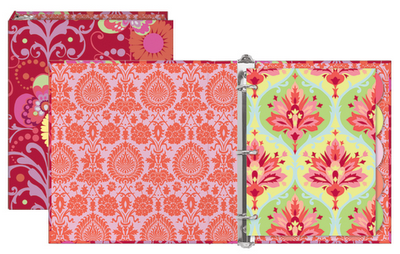
{three ring binders – my fav!}
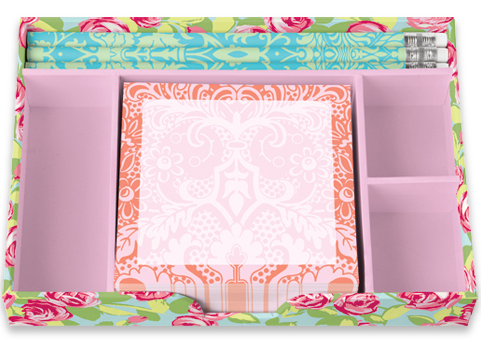
{post it notes}

 
{desk top organizer}
All available at Amy’s online shop.

Looking for more stylish office accessories? Go here. Wishing you a wonderful weekend and happy organizing!

Related Posts Plugin for WordPress, Blogger...
Read full story By on May 7, 2010 in friday find, home organization, office supplies